
Buying a laptop can be expensive. It can also be confusing. You may already have an idea of what you need, but let’s look at things to consider.
What are you going to use it for?
Basic Use:-
- Web Browsing
- Banking
- Shopping
Home Office:-
- Microsoft 365
- Video Calls
- Bookkeeping
Power Users:-
- Video Editing
- Gaming
- AI
- Software Development
Operating System
When it comes to laptops, there are three main Operating Systems: Microsoft Windows; Apple’s MacOS; and Google’s Chrome.
Microsoft Windows is probably the most well-known Operating System and dominates the business world when it comes to desktop computers and laptops. The current version is Windows 11. It is important to note that Windows 10 mainstream support ended in October 2025, although extended support options exist.
Personally, I don’t get on with Apple devices. They have a loyal following and many people love them, but I find them expensive and less upgradeable than most Windows laptops. When I cross paths with Apple devices, I usually end up swearing at them.
Google’s ChromeOS is the new kid on the block. Devices with ChromeOS installed are often referred to as Chromebooks. These are fine for lightweight work and are usually lower spec than most laptops with Windows installed.
As you might have realised now, I will be mainly talking about Windows laptops in this article.
Processor
For most people, a recent AMD Ryzen 5 or Intel Core 5 processor is a good starting point. Avoid very low-end processors and check online reviews if you’re unsure. The processor is one component you generally can’t upgrade later, so it’s worth buying the best you can comfortably afford.
Memory
Memory (RAM) is the temporary storage the computer uses when software is running. For Windows 11 (and Windows 10), I recommend at least 8GB. If you are interested in AI and use software that runs AI locally or love having hundreds of browser tabs open, then you should probably be looking for at least 16GB. If you are a real power user doing heavy techie stuff then you probably don’t need to be reading this article. Memory on most Windows laptops can be fairly easily replaced (one exception being Microsoft Surface devices). If the RAM can be replaced, it can often be upgraded, but you need to check the exact specification of the laptop to make sure.
Chromebooks on the other, you may still be able to get away with 4GB RAM.
Storage
This is where your applications and documents are stored. It could be argued at with cloud storage services like OneDrive and Dropbox, there is no need for large storage. I beg to differ. Windows takes 20 to 40GB storage. MS Office and other apps can easily take up another 40GB. If you take a lot of photos and want to keep a copy on your laptop as well as your phone, that could be another 20GB. And then it comes to Windows updates which can often need another 10+GB of spare disk space. So 128GB storage is clearly not enough. You might think 256GB storage will provide enough breathing space. Today, I would go for at least 500GB for a Windows laptop.
Final thing to say on storage, is that it is now likely to be an SSD or the newer and faster NVMe M.2 storage device rather than the traditional mechanical hard drive which is a lot faster. But it’s not all beer and skittles: if they fail, the chances of recovering any data are slim. Backups are essential.
Screen Size
This is a personal choice. 15.6” is the standard size, and usually means you get a separate number pad on your keyboard. 17” is the largest I would go with – larger screens mean heavier laptops and if you need extra space, a second monitor is the way to go. 14” is on the small size but these are usually slim works of art and there is the second monitor option. But smaller can mean more expensive than the 15.6” screen.
Brands
Microsoft Surface devices all look beautiful, but they are emulating Apple, being expensive for the hardware, and hard to upgrade (although they have made it easier to replace the storage device). The keyboards can also be a bit on the fragile side, particularly the flimsy detachable ones for the Surface Pro and Surface Go.
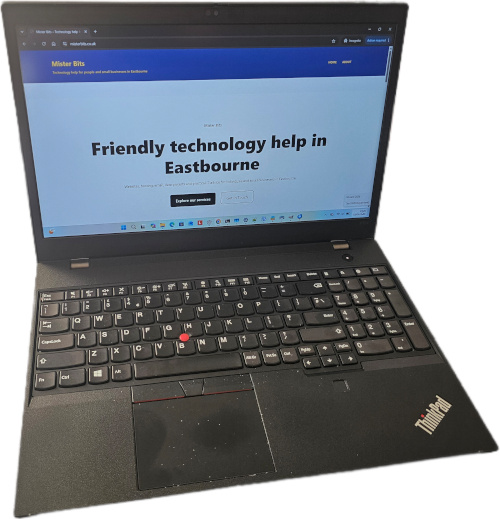
Dell and HP are usually highly regarded, but I actually find Lenovo are a reasonable, recognised brand and all their laptops seem to have spill-resistant keyboards which I wish was mandatory for all laptops. The bad news is that they are a Chinese company, so let’s hope they don’t do anything silly like invading Taiwan.
What about refurbished computers?
I prefer buying new devices, for the main reason that laptop batteries are easily knackered if you don’t treat them properly. Having said that, I have just bought a second-hand laptop which looks to be in almost perfect nick and it is a monster. If you want a reliable computer but have to go down the second-hand route, then go to someone reputable that does a proper service of the laptop rather than just wiping it and sending it out.
Recommended Minimum Specification (2026)
This is a summary of the minimum spec Windows laptop I would currently recommend:-
- Windows 11
- AMD Ryzen or Intel Core processor – should be a recent generation and more cores and threads the better
- At least 8GB RAM, consider 16GB preferred
- At least 256GB Storage, preferably 500GB. NVMe M.2 is best, but SSD should be fine, but you will need a backup strategy
- 15.6” screen is normal size and usually means separate keypad on the keyboard. Other sizes can be more expensive. Can always get a second screen if you need more real estate
- Reputable Brands: Get a well known make that can be upgraded. Lenovo’s have spill-resistant keyboards. Dell and HP are well known. Microsoft Surface devices can be fragile and can’t be upgraded
- If you have specialist software e.g. For bookkeeping, then check their recommended specs and make sure your device of choice exceeds it
Need more buying advice?
Simon was excellent in providing repairs on an old laptop and advice in supplying a replacement laptop that has proven a perfect choice for me. It was evident very quickly that Simon has extensive knowledge and experience of IT issues and offers sound advice and a first-class service. What has impressed me the most has been his after sales care and approach where he has continued to offer support. Still, don’t take my word for it, give Simon a go and I am sure that you won’t be disappointed.
Pete M, Eastbourne, Client, 2026
If you are unsure about what you need, contact me and I will see what I can find.